
Primary question: Does the beta's MDXP core and headless server beat your current aria2 or qBittorrent setup without risking your only copy of v1 data?
RepoDaily adoption score
RepoDaily rates this as 83/100 (strong) for adoption: evidence, installation path, production risk, differentiation, license clarity, and AI/agent fit are scored from the article sources and adoption notes.
6 source(s) across 4 source category/categories, plus a RepoDaily-specific evidence module when available.
7 workflow step(s), 6 next-action step(s), and 4 command/install signal(s) were detected.
Trending momentum is +295 stars, with maintenance/release/issue signals counted when present.
Risk is marked high, with 5 security note(s) and 4 explicit skip condition(s).
4 opportunity lens item(s), 4 alternative(s), and 4 type-specific section(s) support differentiation.
License source or license wording is present.
2 AI/agent-related signal(s) were detected in the article text and metadata.
Project overview
Motrix is a clean, full-featured download manager covering HTTP, FTP, BitTorrent, magnet links, and .torrent files. The repository is TypeScript and MIT-licensed, and on 2026-08-18 it sat at rank 12 on the trending list with 295 stars for the period. The attention is not about the familiar v1 desktop app, though. It is about Motrix Turbo — the v2 line the README describes as rebuilt from the ground up with Electron, React, and TypeScript while keeping the straightforward feel of v1.
The defining v2 change is architectural. The download core is independent of the UI, and the same core ships in two runtimes: a desktop app for macOS, Windows, and Linux, and a headless server that runs directly on Node.js or in Docker and serves a web UI aimed at NAS devices and home servers. Browser extensions and command-line tools talk to the app over MDXP (Motrix Download eXchange Protocol), an open protocol built on JSON-RPC 2.0, while plugins run in isolated QuickJS-based sandboxes with fine-grained permissions and an in-app marketplace. An official @motrix/cli client is positioned for everyday shell use and for AI agents.
Maturity is the open question. package.json pins the current release at 2.0.0-beta.18 under the package name motrix-turbo, and the README is blunt about the beta: remaining release gates must pass, migration from v1 data has not yet been validated, and testers should back up existing data and run v2 in parallel using a separate OS account, machine, or Docker data directory. The rest of this page sticks to what the repository actually shows — build scripts, the Dockerfile, the license, and the contributing guide — and flags where the v2 reality and v1-era docs diverge.
Why it is trending now
- 295 stars for the period and rank 12 on 2026-08-18, coinciding with the public v2 beta rather than routine churn on v1.
- v2.0.0-beta.18 is downloadable from GitHub Releases, with full release notes published at docs/release-notes/2.0.0-beta.18.md inside the repository.
- A Docker-ready headless server with a web UI moves the project beyond the desktop into NAS and home-server territory.
- MDXP, an open protocol built on JSON-RPC 2.0, plus an official @motrix/cli aimed at shells and AI agents, gives scriptable control a first-class interface.
- The feature list stacks up: BitTorrent per-file selection, magnet support, automatic tracker list updates with health checks, UPnP/NAT-PMP port mapping, SQLite-backed session restore, and Chrome/Firefox one-click handoff.
Problem it solves
- Download needs are usually split across tools: a GUI on the desktop, something else on the NAS, with no shared limits or session state between them.
- Downloads started in a browser tab cannot be paused, resumed, or scheduled the way a manager can; Motrix ships Chrome and Firefox extensions that hand downloads off in one click.
- Torrent UIs rarely combine per-file selection with tracker hygiene; Motrix pairs both with a built-in tracker list that updates automatically and runs health checks.
- A restart normally loses in-flight tasks; Motrix persists sessions in SQLite and restores downloads after a restart.
- Third-party download plugins are a trust problem; Motrix confines them to QuickJS-based sandboxes with fine-grained permissions distributed through an in-app marketplace.
- Reaching a home-server download manager remotely tends to mean an exposed web port; Motrix instead pairs remote CLI and agent clients using device codes.
How it works
- A single download core handles HTTP, FTP, BitTorrent, magnet links, and .torrent files, with registered handlers for motrix:// and magnet: links.
- The core is decoupled from the interface: the Electron desktop app on macOS, Windows, and Linux and the headless server's web UI are two front ends over the same engine.
- Clients speak MDXP — an open protocol built on JSON-RPC 2.0 — so the browser extensions and @motrix/cli issue structured calls against the core.
- Plugins, including URL Resolver plugins that extract media from supported sites, execute inside QuickJS-based sandboxes with per-plugin permissions.
- Sessions persist to SQLite and downloads restore after a restart; the customizable Dashboard shows transfer stats, live activity, and task tiles.
- On a server, the core runs headless on Node.js or in Docker, and remote CLI or agent clients pair with it via secure device codes.
- Network behavior — UPnP and NAT-PMP port mapping, upload and download limits with multiple speed-limit profiles — is configured in the app, alongside system notifications and tray integration with launch at startup.
Product demo and interface preview
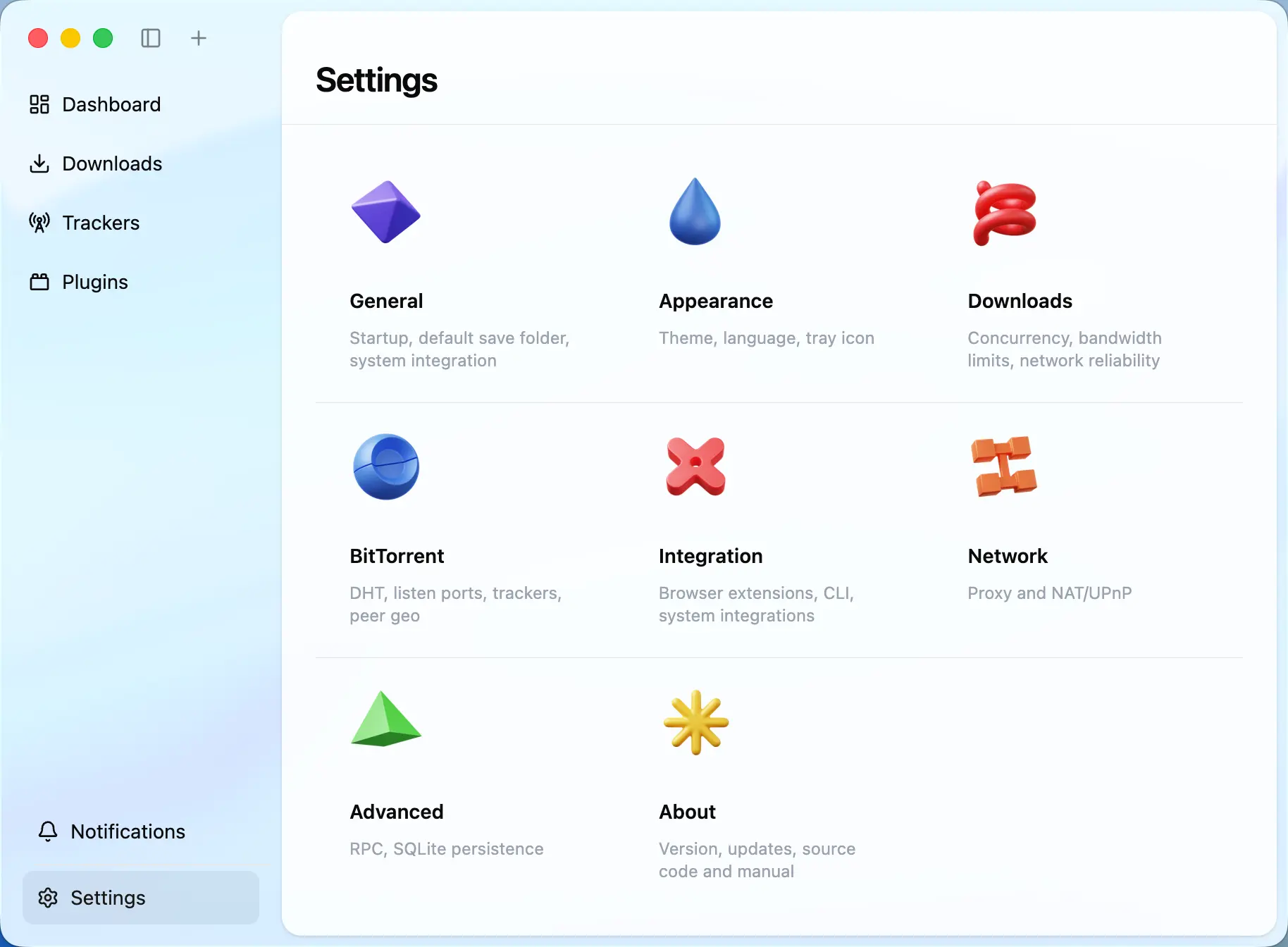
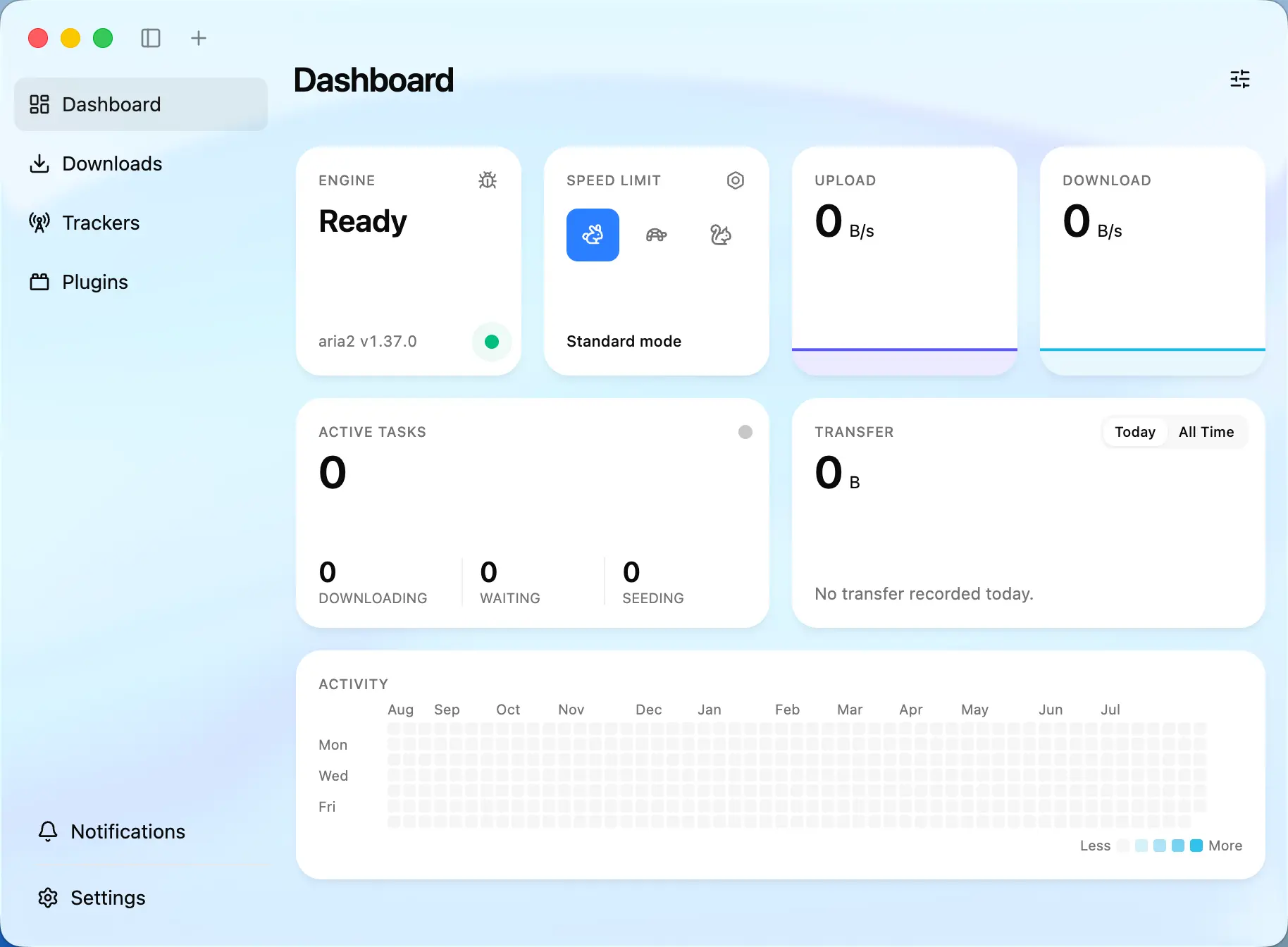
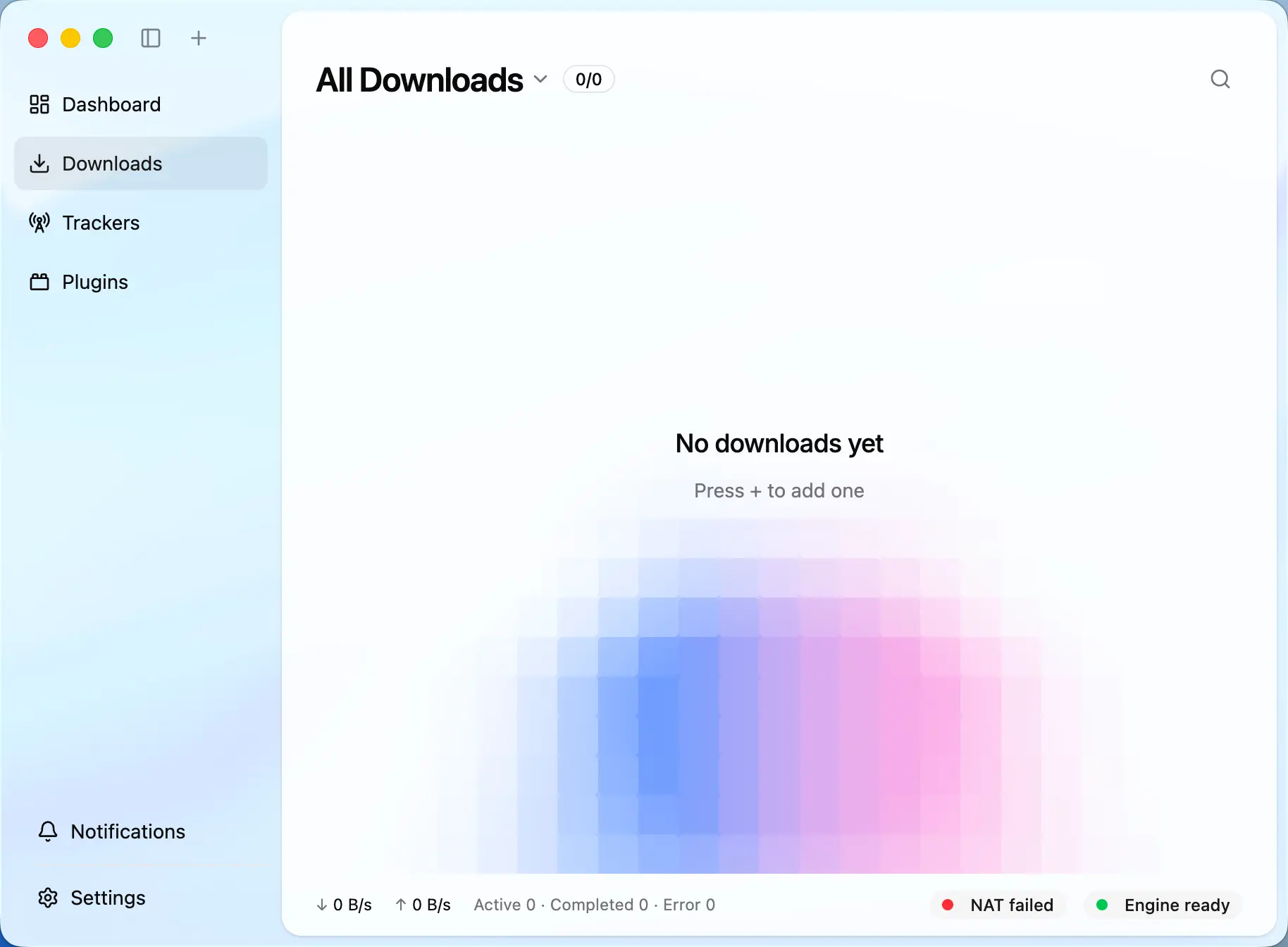
What the v2 beta actually ships
- Protocols and sources: HTTP, FTP, BitTorrent with per-file selection, magnet links, .torrent file associations, and motrix:// link handling.
- Session and UI: SQLite-backed sessions with restore after restart, a customizable Dashboard with transfer stats and task tiles, system notifications plus an in-app notification center, and dark mode.
- Control surfaces: Chrome and Firefox extensions, the official @motrix/cli for shell and agent use, and device-code pairing for remote clients of the headless server.
- Extensibility: QuickJS-based plugin sandboxing with fine-grained permissions, an in-app marketplace, and URL Resolver plugins for extracting media from supported sites.
- Platforms and languages: desktop on macOS, Windows, and Linux; headless on Node.js or Docker with a web UI; Simplified Chinese and English UI with more languages planned.
Architecture read: one core, two runtimes, one protocol
The README's central claim is that the download core is independent of the UI, and the build scripts in package.json make the split concrete. Desktop builds chain four Vite configs — vite.main.config.ts, vite.preload.config.ts, vite.worker.config.ts, and vite.renderer.config.ts — while the server path (build:server) instead builds vite.server.config.ts, vite.worker.config.ts, and vite.renderer.web.config.ts. The start:server script runs MOTRIX_SKIP_ELECTRON_REBUILD=1 node dist/server/index.mjs, deliberately skipping Electron's native rebuild because no desktop shell is involved.
MDXP is the contract that holds the design together. Described as an open protocol built on JSON-RPC 2.0, it is how browser extensions, the CLI, and remote clients drive the core. That is also why @motrix/cli can be advertised for AI agents, and why the headless server can pair remote CLI and agent clients with device codes instead of leaving an open control surface.
Plugins are the third pillar: they run in isolated QuickJS-based sandboxes with fine-grained permissions and install from an in-app marketplace, with URL Resolver plugins as the designated extension point for pulling media from supported sites. Persistence sits underneath in SQLite, which is what makes unattended headless installs practical — restart the box and in-flight downloads come back.
Deployment notes: what the Dockerfile tells you
- Base image is node:24-alpine pinned by digest, with python3, make, and g++ added for native builds.
- The server image uses system aria2 — installed via apk add aria2 ca-certificates — and sets MOTRIX_SKIP_ELECTRON_REBUILD=1 and MOTRIX_SKIP_ENGINE_FETCH=1 so installs never rebuild for Electron.
- Dependencies install with [email protected] (matching the packageManager pin) using --frozen-lockfile; the runtime stage then deletes npm, npx, corepack, pnpm, and yarn binaries.
- Runtime directories /data/home, /data/tmp, and /downloads are created and chowned to the unprivileged node user, and a motrix-admin shim at /usr/local/bin/motrix-admin execs node /app/dist/server/motrix-admin.mjs.
- Legal artifacts ship inside the image: THIRD_PARTY_NOTICES.md and its zh-CN version, THIRD_PARTY_LICENSES, THIRD_PARTY_DEPENDENCIES.md, and an SBOM under build/legal; a scratch stage also exports server size reports.
- Build gates run in-pipeline: check:third-party-notices, build:server, stage-server-app.mjs with --strict, and verify-server-package.mjs all run before the runtime layers are assembled.
Command surface for building from source
- Toolchain is pinned: [email protected] via the packageManager field, Biome for lint and format (biome check .), and Vitest for tests (vitest run).
- Desktop path: pnpm start runs scripts/dev.mjs after ensure-native-abi.mjs; the full build runs build:builtin, build:native-host, and build:electron.
- Server path: pnpm run build:server produces dist/server, dist/core/plugin/host, and dist/renderer-web; start:server launches it on Node with the Electron rebuild skipped; smoke:server-package and smoke:server-image cover packaged checks.
- Guard-rail scripts include check:boundaries, check:file-names, check:i18n, check:schema-parity, check:registry-runtime, and check:update-artifacts.
- Distribution is in scope: package:flatpak-native-host and check:flatpak on one side, build:snap:prepare, check:snap, and check:snap-store on the other, plus measure:server-images for image-size tracking.
Maintenance read: beta gates, migration, and doc drift
The README gates the v2 line explicitly: download v2.0.0-beta.18 from GitHub Releases only after remaining release gates pass, read the release notes, and treat migration as unsafe — v1 data migration has not yet been validated, so your only copy of v1 data should never touch the beta. That is a project-authored risk statement, and it should drive how you test.
There is also visible documentation drift. CONTRIBUTING.md, served from the master branch, still documents the v1 stack: Element UI locale imports in src/shared/locales/all.js and i18next files under src/shared/locales such as en-US and zh-CN. The v2 package.json, by contrast, names the package motrix-turbo and uses Biome, Vite, and pnpm workspaces. Contributors should anchor on the main-branch README and release notes rather than master-branch guides.
Licensing is MIT (copyright 2018-present Dr_rOot) with one sharp edge the LICENSE file flags itself: third-party assets in the repository are not covered by MIT, and THIRD_PARTY_NOTICES.md is the authoritative list. The build regenerates and verifies those notices via check:third-party-notices, and the Dockerfile copies them into the server image.
Who should pay attention?
Good fit if
- You run downloads on both a desktop and a NAS or home server and want one core with shared limits and session restore instead of two separate tools.
- You drive downloads from a shell or an agent and want a documented JSON-RPC 2.0 interface (@motrix/cli over MDXP) rather than GUI automation.
- You want BitTorrent per-file selection, magnet support, and automatically updated, health-checked tracker lists in a single interface.
- You can isolate the test: a spare machine, a separate OS account, or a fresh Docker data directory.
Skip for now if
- Your only copy of Motrix v1 data matters — the README states v1 migration has not been validated in this beta.
- You need a stable release for a production NAS today rather than a beta behind open release gates.
- You need UI languages beyond Simplified Chinese and English now; more languages are planned but not shipped.
- You want a pure CLI engine with no GUI or web surface — the Dockerfile's use of system aria2 points at the leaner alternative already on your platform.
Risks and cautions
Motrix Turbo v2 is at 2.0.0-beta.18 behind open release gates, and the project itself says v1 data migration is unvalidated — treat it as a parallel-install beta, not a replacement.
- The README instructs testers to back up existing Motrix data and never use their only copy of v1 data with the beta.
- Migration from Motrix v1 data has not yet been validated, per the README's beta section.
- Master-branch contributing docs still describe the v1 Element UI and i18next structure, so onboarding material lags the v2 codebase.
- The plugin marketplace and URL Resolver surface are new in v2 and depend on sandbox permission behavior that is still being beta-tested.
- Plugins execute in QuickJS-based sandboxes with fine-grained permissions rather than as ordinary application code — a stated v2 design goal.
- Remote CLI and agent clients pair with the headless server using device codes, avoiding a permanently exposed control port.
- The Docker runtime stage removes npm, npx, corepack, pnpm, and yarn, and owns /data and /downloads as the unprivileged node user.
- The server image uses system aria2 and ca-certificates from Alpine packages instead of shipping an engine binary of its own.
- Licensing is transparent but two-tier: MIT for project code, with THIRD_PARTY_NOTICES.md required reading because third-party assets are explicitly excluded — and the build's check:third-party-notices gate regenerates and verifies the notices.
Alternatives to compare
| Approach | When to use | Trade-off |
|---|---|---|
aria2 | You want the engine itself with no UI; Motrix's own server image simply installs system aria2 via apk. | Free, open source |
qBittorrent | BitTorrent is the primary workload and you want a mature desktop plus web client today. | Free, open source |
Persepolis | You want a stable GUI front end over aria2 without beta risk. | Free, open source |
Free Download Manager | You prefer a vendor-supported closed product with cross-platform desktop clients. | Free product from a commercial vendor |
What this trend reveals
NAS-grade downloads without a desktop
The headless server targets NAS devices and home servers with a web UI, and the Dockerfile's /downloads directory and node-user ownership show it is designed to run unattended.
Run the server image on a spare host, load the web UI, and pair @motrix/cli from another machine via device code.
An agent-facing download API
MDXP is documented as an open JSON-RPC 2.0 protocol, and @motrix/cli is explicitly positioned for AI agents — a concrete, scriptable control surface.
Use @motrix/cli to add an HTTP task and a magnet task, pause and resume them, and confirm state survives a server restart via SQLite sessions.
Sandboxed plugin distribution
The in-app marketplace plus QuickJS sandboxing with fine-grained permissions creates a controlled channel for URL Resolver plugins that extract media from supported sites.
Install one resolver plugin in the beta, record the permissions it requests, and verify that denial is actually enforced.
Linux store packaging
package.json carries Flatpak and Snap scripts — package:flatpak-native-host, check:flatpak, build:snap:prepare, check:snap-store — signaling intent to distribute through Linux stores.
On Linux, run the Flatpak and Snap verification scripts against a local build and compare results with the README's supported platforms.
RepoDaily verdict
Motrix Turbo is betting that a download manager should be a decoupled core with interchangeable faces — an Electron desktop app, a Docker headless server with a web UI, and a JSON-RPC 2.0 protocol for browsers, CLIs, and agents. The repository backs the bet with real artifacts, from the pinned node:24-alpine server image to the legal-notices gates in the build. But 2.0.0-beta.18 with unvalidated v1 migration makes this a parallel-install project today, not a switch-over.