
Primary question: Can a vision bridge for text-only agents read your images without exposing API keys or session data?
RepoDaily adoption score
RepoDaily rates this as 91/100 (strong) for adoption: evidence, installation path, production risk, differentiation, license clarity, and AI/agent fit are scored from the article sources and adoption notes.
6 source(s) across 4 source category/categories, plus a RepoDaily-specific evidence module when available.
5 workflow step(s), 4 next-action step(s), and 5 command/install signal(s) were detected.
Trending momentum is +536 stars, with maintenance/release/issue signals counted when present.
Risk is marked medium, with 6 security note(s) and 4 explicit skip condition(s).
3 opportunity lens item(s), 3 alternative(s), and 4 type-specific section(s) support differentiation.
License source or license wording is present.
6 AI/agent-related signal(s) were detected in the article text and metadata.
Project overview
ModLens (liustack/modlens, TypeScript, MIT) is a plug-in vision engine that gives text-only models sight. The flagship DeepSeek and GLM chat models cannot read images, and ModLens attacks that gap at the exact point users feel it: it reads images pasted straight into the chat, with no saving to a file and passing a path first. Installing into DeepSeek Harness (dsh) is one command, deliberately pinned to 3.16.7. The plugin exposes a native `modlens_read_image` tool and converts a pasted image into structured JSON evidence covering OCR, layout, and semantics, defined by an output contract in docs/output-schema.md. The repo collected 536 stars in the period and sat at trending rank 8 on 2026-08-16.
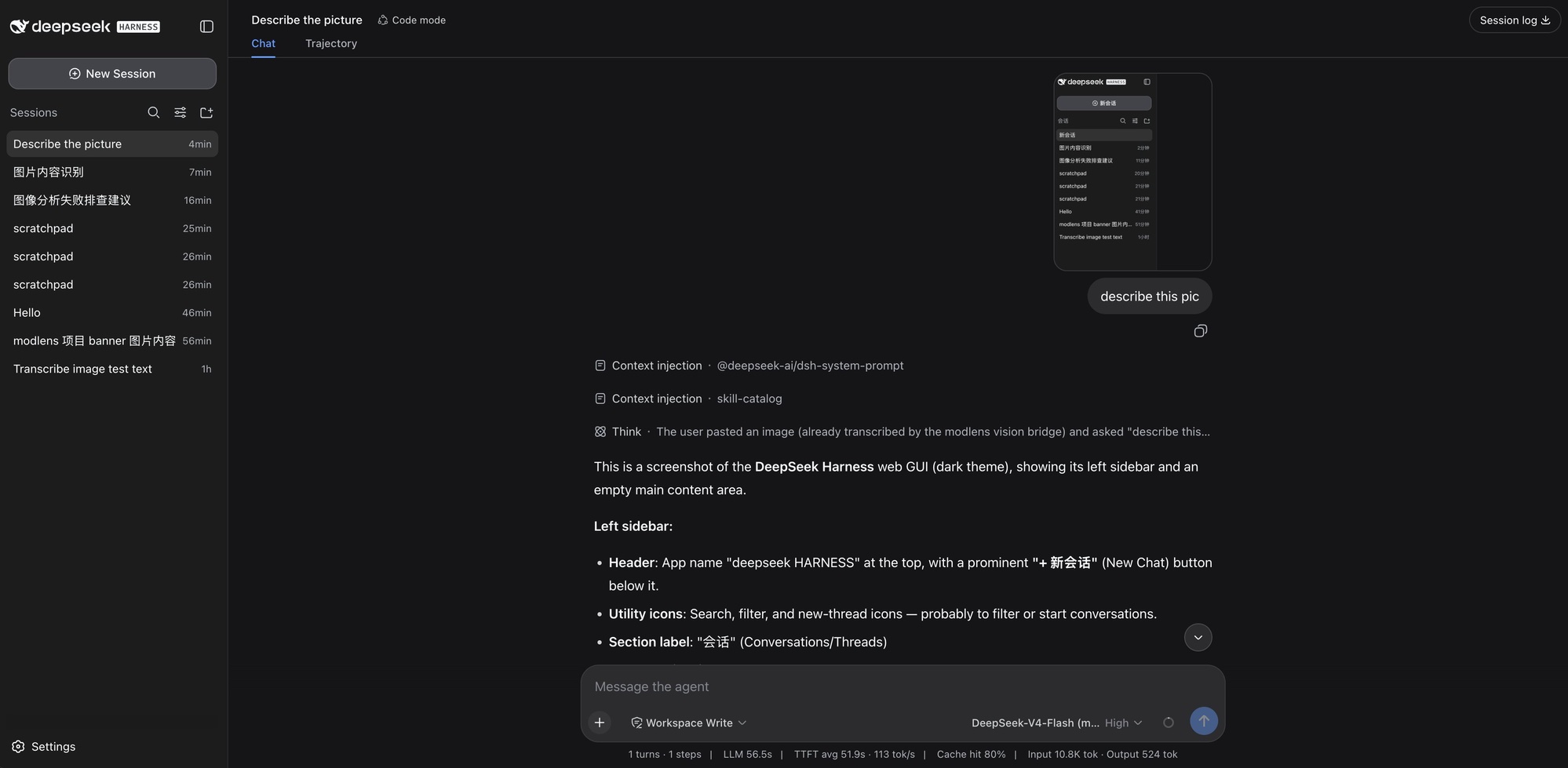
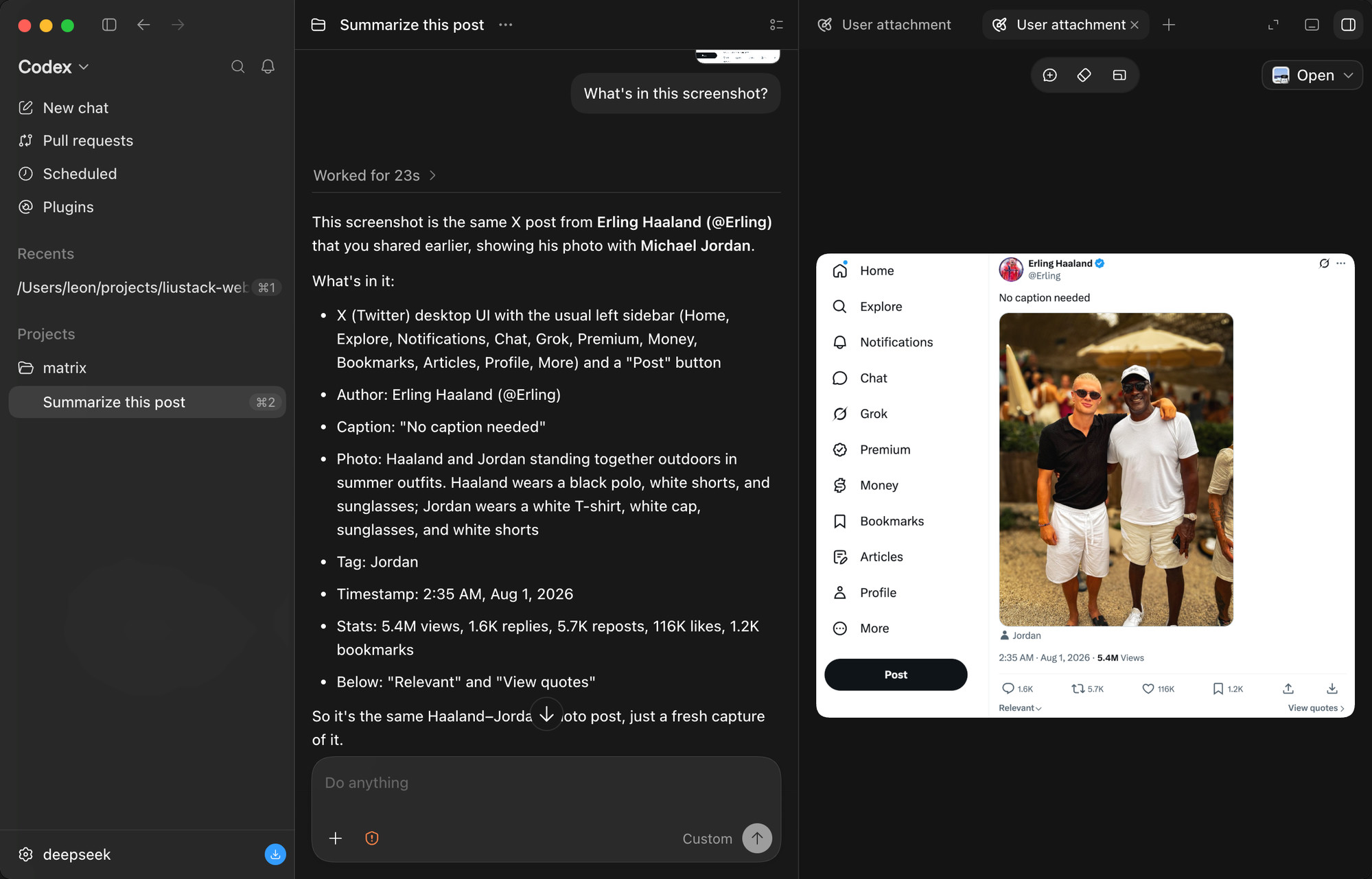
The integration is more careful than the one-line pitch suggests. ModLens auto-discovers every provider route carrying text-only DeepSeek or GLM models and adds a wrapped `(modlens vision)` entry per route; the README says a stock install gets `DeepSeek-V4-Flash (modlens vision)` and `DeepSeek-V4-Pro (modlens vision)`, while extra routes like opencode-go or zai get their own. Only a model whose metadata positively confirms text-only is taken over, so vision models keep their native paste. Pasting works two ways: plain paste lands the image as a private temp file with its path entering the composer (the same interaction OpenCode and Pi ship), or you pick the `(modlens vision)` entry once and the thumbnail stays visible in your message, closer to the Codex app feel. Web search and page fetching are explicitly out of scope and live in the sibling project ModSearch.
The security-tool lens fits because this plugin sits on sensitive plumbing rather than because it scans anything. SECURITY.md states plainly that modlens runs vision engines over images on your machine and can recover pasted image bytes from local session storage, and it treats image content as untrusted input. The 3.16.7 release (2026-08-15) is mostly about that surface: a web settings card whose writes are refused unless loopback, a host that never sends a stored key to the browser (only whether one is stored), and key entry that never touches argv, shell history, or the chat.
Why it is trending now
- Claims the 'first vision plugin for DeepSeek Harness (dsh)' slot and installs with one pinned command: `npx -y @deepseek-ai/dsh plugin --profile web add @liustack/[email protected]`
- 536 stars in the period at trending rank 8, for a single-maintainer TypeScript CLI published to npm as @liustack/modlens
- Three patch releases on 2026-08-15 alone (3.16.5, 3.16.6, 3.16.7), each tied to a filed issue: #36, #37, and #39
- README badges that say what most repos hide: 'Not backed by Y Combinator' and 'users unknown'
- Paste-first UX borrowed from OpenCode, Pi, and the Codex app instead of a save-to-file detour
Problem it solves
- Flagship DeepSeek and GLM chat models are text-only and cannot read images at all
- The usual workaround — save the image, then pass a path — breaks the paste habit chat UIs train users on
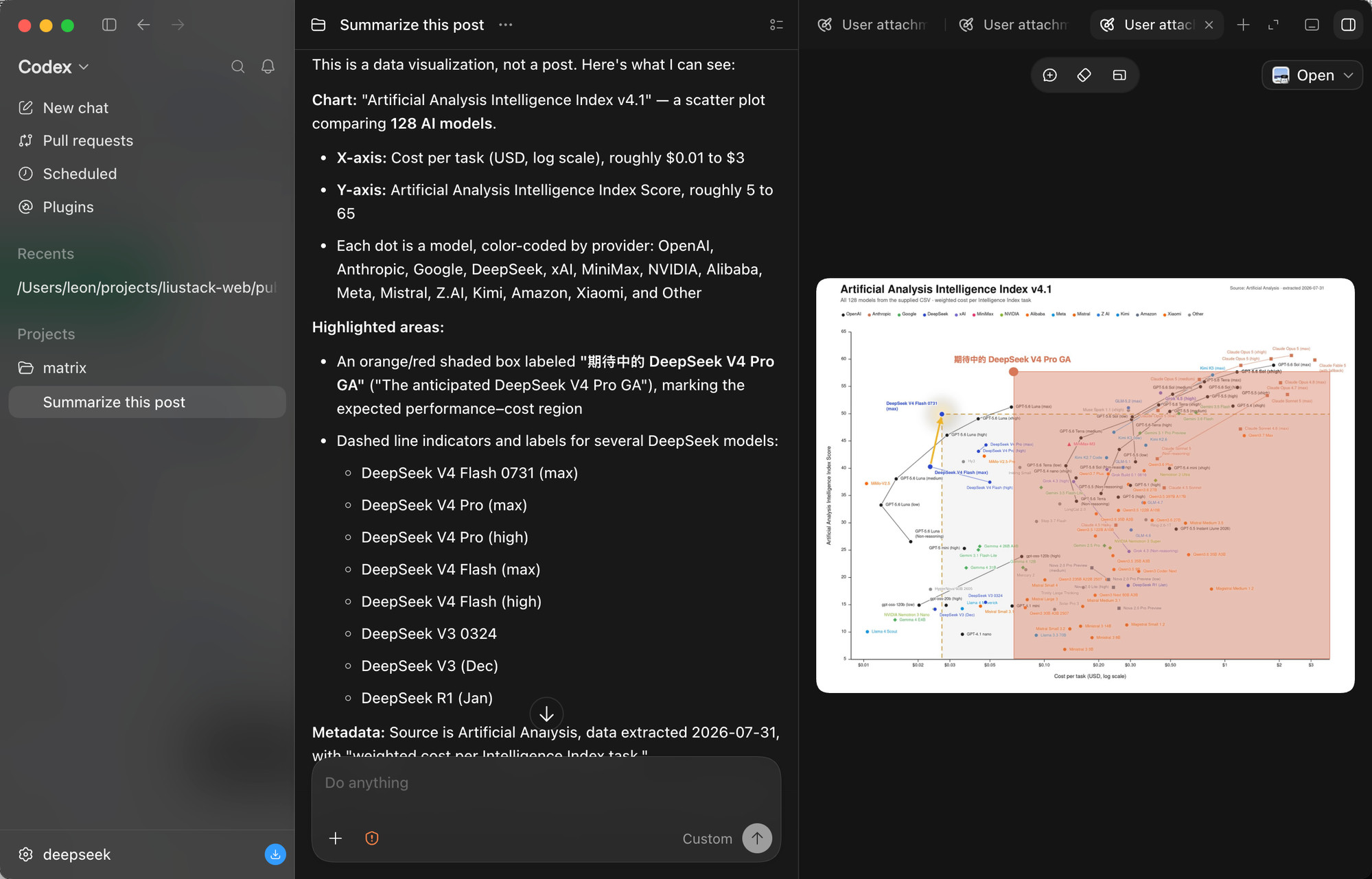
- Screenshots carry layout and chart structure (axes, log scales, highlighted regions) that loose transcription loses
- Model-side contract enforcement was costly before 3.16.6: optional `null` fields such as `visual.notes` failed whole reads (#37), and strict json_schema enforcement had to be hand-written
- Plain paste on text-only models was dead in every default install between 3.16.0 and 3.16.5 because the server-side verdict misjudged the plugin's own wrapper (#36)
How it works
- Install with `npx -y @deepseek-ai/dsh plugin --profile web add @liustack/[email protected]`; the version is pinned on purpose because pnpm 11 holds back releases published in the last 24 hours, so `@latest` would install whatever shipped a day ago. Updating is the same command again.
- The plugin scans provider routes and wraps each one carrying a text-only DeepSeek or GLM model with a `(modlens vision)` entry; the two families' own vision models are excluded automatically.
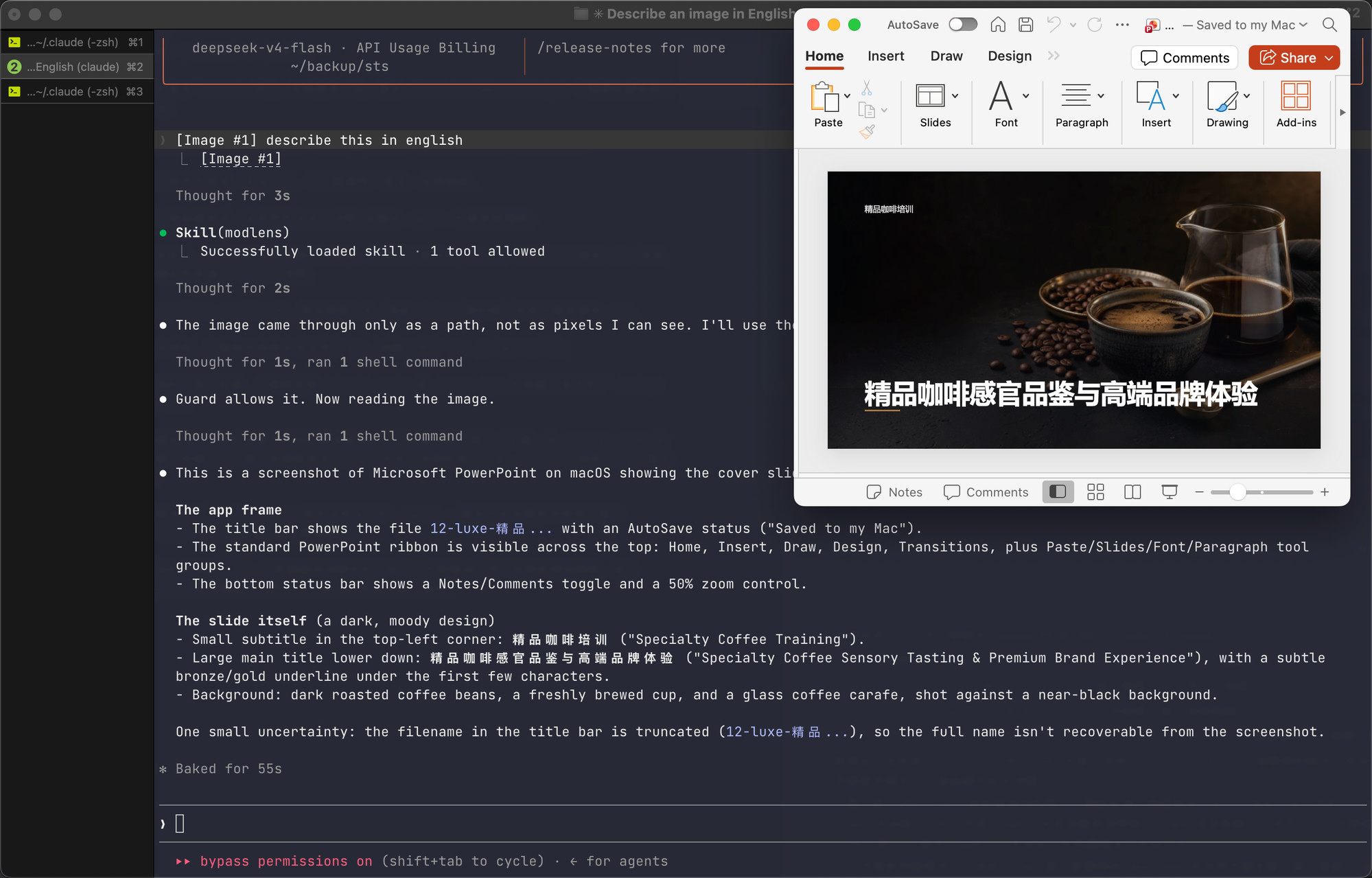
- Paste an image: on a plain text-only route it lands as a private temp file and its path enters the composer; via a `(modlens vision)` entry the thumbnail stays visible and the image is converted to structured evidence at request time.
- The `modlens_read_image` tool runs a configured vision engine over the image bytes on your machine.
- The read returns structured JSON evidence (OCR, layout, semantics) checked against the runtime schema; since 3.16.6 an optional field holding `null` is dropped before the check, while a required `null` is still a violation.
Product demo and interface preview
Command surface: what you actually run
- Install or update: `npx -y @deepseek-ai/dsh plugin --profile web add @liustack/[email protected]` — pinned, not `@latest`, per docs/harness-setup.md because of pnpm 11's 24-hour holdback
- Secret entry: `modlens config set gemini-api.apiKey` with the value omitted prompts with the echo hidden, and also accepts one piped line — the key never appears in argv, shell history, or the chat
- Strict output mode: `modlens config set openai.structuredOutput true` sends `response_format: json_schema` with every property required and `additionalProperties: false`; off by default because gateways without support answer 400
- Dev pipeline from CONTRIBUTING.md: `pnpm install`, `pnpm test` (vitest), `pnpm typecheck` (tsc --noEmit), `pnpm build` (must produce a single dist/main.js), `pnpm lint` (Biome); Node 22.19+ required
Integration surface: where it plugs in
ModLens hooks the dsh plugin system, then auto-discovers every provider route carrying text-only DeepSeek or GLM models and adds one wrapped entry per route. A stock install gets `DeepSeek-V4-Flash (modlens vision)` and `DeepSeek-V4-Pro (modlens vision)`; routes like opencode-go or zai get their own. Which paste route applies is the host's per-model call: only a model its metadata positively confirms text-only is taken over, so vision models keep native paste.
Configuration has one home: the shared `~/.modlens/config.json`. Since 3.16.7 the dsh web UI has a settings card under Plugins (engine, API key, endpoint, model, and which local sign-ins a read may borrow) that reads and writes a loopback route owning that file, so nothing is duplicated into a second store and every other harness sees the same edit. Web search and page fetching stay in the sibling repo ModSearch (github.com/liustack/modsearch), not here — the CONTRIBUTING.md scope section draws that line explicitly.
Maintenance risk: one maintainer, three same-day patches
The 2026-08-15 changelog shows the shape of this project. 3.16.5 fixed plain paste on text-only models, which had been dead in every default install since 3.16.0 moved the verdict server-side: the verdict refused when any model matching the selector label declared image input, which was right for a real vision model and wrong for the plugin's own wrapper that reuses the upstream model id verbatim (#36). 3.16.6 legalized `null` in optional fields — the reported failure named `visual.notes` — so a read survives a model reaching for `null` when it has nothing to say (#37). 3.16.7 shipped the web settings card with loopback-only writes (#39).
CONTRIBUTING.md is blunt: ModLens does not accept pull requests. It is a deliberately small tool with a single maintainer who reviews and owns every line. The two sanctioned contributions are issues (which drive what gets built) and forks, since MIT makes your copy fully yours. SECURITY.md adds that fixes land only on the latest npm release, so staying current is not optional — and the README badge honestly says the user count is unknown.
Try-it path: ten minutes to a first read
- Run the pinned install command into dsh (`--profile web`)
- Open a chat on a text-only DeepSeek route and paste a screenshot straight into the composer — no file, no path
- Or pick `(modlens vision)` once in the model selector (it remembers your choice), then paste so the thumbnail stays visible
- Inspect what `modlens_read_image` returns: OCR text, layout, semantics, and confirm an optional `null` no longer kills the read
- Before entering any key, read docs/security.md and use the hidden-echo form of `modlens config set gemini-api.apiKey`
Who should pay attention?
Good fit if
- You use DeepSeek Harness (dsh) with text-only DeepSeek or GLM routes and regularly paste screenshots, charts, or UI grabs into coding chats
- You want OCR plus layout and semantics in one JSON payload the model can quote, not a wall of loose text
- You care about key hygiene: hidden-echo prompts, loopback-only config writes, and a host that never ships a stored key to the browser are all in the 3.16.7 release
- You can commit to running the latest npm release, since SECURITY.md says fixes land only there
Skip for now if
- Your routes already run vision-capable models — the plugin leaves them alone and adds nothing for them
- You need a multi-maintainer project that accepts pull requests; CONTRIBUTING.md states it does not
- You cannot run Node 22.19+, the stated floor for a development checkout
- Your gateway lacks structured-output support and you want `openai.structuredOutput` on — the changelog says such endpoints answer 400
Risks and cautions
A disciplined, well-documented tool built and reviewed by exactly one person, with a same-day patch cadence that fixes regressions as fast as it introduces surfaces.
- Single maintainer reviews every line; CONTRIBUTING.md says pull requests are not accepted
- Three patch releases on 2026-08-15 (3.16.5–3.16.7) fixing a broken paste takeover (#36), a contract gap on `null` (#37), and adding a new web settings surface (#39)
- The README itself badges 'users unknown' — no adoption figures exist
- Fixes land only on the latest npm release, so every install must track the newest version per SECURITY.md
- SECURITY.md asks for private reports via GitHub Security Advisories, including the exact command, full output, and modlens and Node versions
- Stated threat surface: modlens runs vision engines over images on your machine and can recover pasted image bytes from local session storage; image content is treated as untrusted input, with the full model in docs/security.md
- 3.16.7 web settings card: the host never sends a stored key to the browser, only whether one is stored; a blank key field means leave the stored one alone; cross-origin or non-loopback writes are refused the way dsh fences its own API
- A save carries only what it is about — toggling a local sign-in grant never moves the engine pin or rewrites engine settings
- Key entry via `modlens config set gemini-api.apiKey` with the value omitted keeps the secret out of argv, shell history, and the chat; the docs state which boundary each form actually holds
- MIT license, with forking explicitly sanctioned: rename it, rewire it, publish it — no permission needed
Alternatives to compare
| Approach | When to use | Trade-off |
|---|---|---|
A vision-capable model route | Image reading is central to your work and you would rather switch models than bridge a text-only one | Per-token pricing on a multimodal API; loses your existing DeepSeek/GLM routes |
Save-to-file plus path | You paste images rarely and can tolerate the detour the README explicitly calls out | Free, a few extra clicks per image, and layout context still gets lost |
| You need changes the no-PR policy will not take upstream | Your own maintenance burden; MIT grants the rights outright |
What this trend reveals
Wrap every remaining text-only route
Auto-discovery already covers routes carrying text-only DeepSeek or GLM models, and the README says extra routes like opencode-go or zai get their own wrapped entries. Confirming a GLM route end to end is the concrete next test.
Install 3.16.7 in dsh, list the `(modlens vision)` entries the plugin added, and verify every text-only DeepSeek and GLM route on your machine reads a pasted screenshot.
Strict schema enforcement without hand-copying
3.16.6 derives the strict json_schema (every property required, `additionalProperties: false`, optional fields made nullable) from the same schema the runtime checks, removing the workaround the #37 reporter had to hand-write for thinking-disabled qwen.
Point a gateway that supports `response_format` at the plugin, run `modlens config set openai.structuredOutput true`, and confirm a read survives a gateway-added `null` key.
A key-entry pattern worth copying
The hidden-echo prompt — value omitted, echo hidden, one piped line accepted — keeps a secret out of argv and shell history, and the docs say which boundary each entry form actually holds.
Run `modlens config set gemini-api.apiKey` without a value, check `history` and your shell config for leakage, then confirm the stored key is readable only through the loopback settings card.
RepoDaily verdict
ModLens solves one narrow, real problem — text-only DeepSeek and GLM models cannot read your pasted screenshots — with an unusually disciplined single-maintainer build: pinned installs, a runtime-enforced output contract, loopback-only config writes, and key entry that never touches shell history. Adopt it if you live in dsh on text-only routes and stay on the latest npm release; skip it if you need a committee-maintained project or already run vision models.