
Primary question: Does your team struggle to get consistent, editorial-quality diagrams directly from AI coding agents?
RepoDaily adoption score
RepoDaily rates this as 91/100 (strong) for adoption: evidence, installation path, production risk, differentiation, license clarity, and AI/agent fit are scored from the article sources and adoption notes.
4 source(s) across 2 source category/categories, plus a RepoDaily-specific evidence module when available.
4 workflow step(s), 3 next-action step(s), and 1 command/install signal(s) were detected.
Trending momentum is +2,951 stars, with maintenance/release/issue signals counted when present.
Risk is marked low, with 4 security note(s) and 3 explicit skip condition(s).
2 opportunity lens item(s), 4 alternative(s), and 2 type-specific section(s) support differentiation.
License source or license wording is present.
7 AI/agent-related signal(s) were detected in the article text and metadata.
Project overview
Diagram Design is an agent skill designed for Claude Code, Codex, and Pi that generates editorial-quality diagrams as self-contained HTML files. Unlike standard AI outputs that often produce generic rounded boxes, this tool offers 27 distinct visual types, including flowcharts, sequence diagrams, and state machines. The output relies on static HTML and SVG, requiring no JavaScript, build steps, or external image dependencies.
The project focuses on semantic patterns that describe behavior separately from layout. This approach allows complex concepts like queue behaviors, policy traces, or trust boundaries to map to existing visual types without inflating the diagram library. The system defaults to static outputs for maximum compatibility but supports optional accessible motion for ordered explanations.
Development is driven by a documentation-first philosophy, with specific validation gates ensuring accessibility, skin conformance, and import path integrity for draw.io and Mermaid sources. The repository does not use versioned releases; security fixes are applied directly to the latest commit on the main branch.
Why it is trending now
- Ranked #1 on GitHub with 2,951 stars, reflecting strong demand for better AI-generated visuals.
- Addresses the specific pain point of 'generic rounded-box' diagrams produced by standard AI models.
- Introduces unique features like 'The Loop' (flywheels with shared-memory hubs) and semantic system patterns in version 2.3.
- Offers a self-contained workflow that eliminates dependencies on Figma or complex design tools.
Problem it solves
- Standard AI coding agents often generate visually generic diagrams that clash with professional design standards.
- Manual diagramming in tools like Figma creates friction and interrupts development workflow.
- Existing diagramming libraries like Mermaid can produce 'slop'—inconsistent or messy visual outputs.
- Importing existing diagrams from tools like draw.io often results in a loss of semantic fidelity or visual quality.
How it works
- Users invoke the Diagram Design skill within Claude Code, Codex, or Pi.
- The agent selects from 27 visual types based on the semantic pattern of the request.
- The skill generates a self-contained HTML file using SVG for graphics.
- Output is rendered directly in a browser or embedded in documentation with no build step required.
Product demo and interface preview
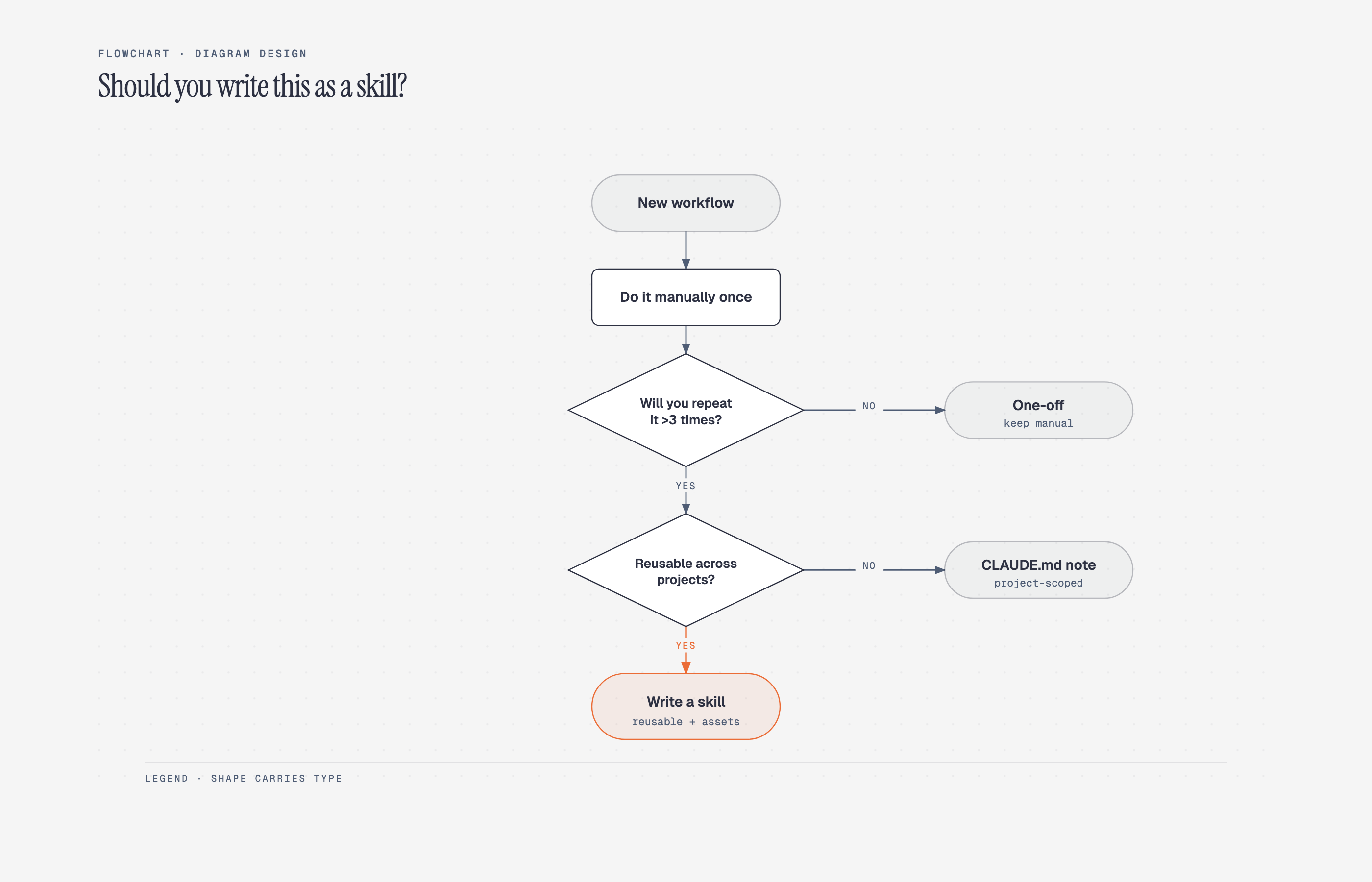
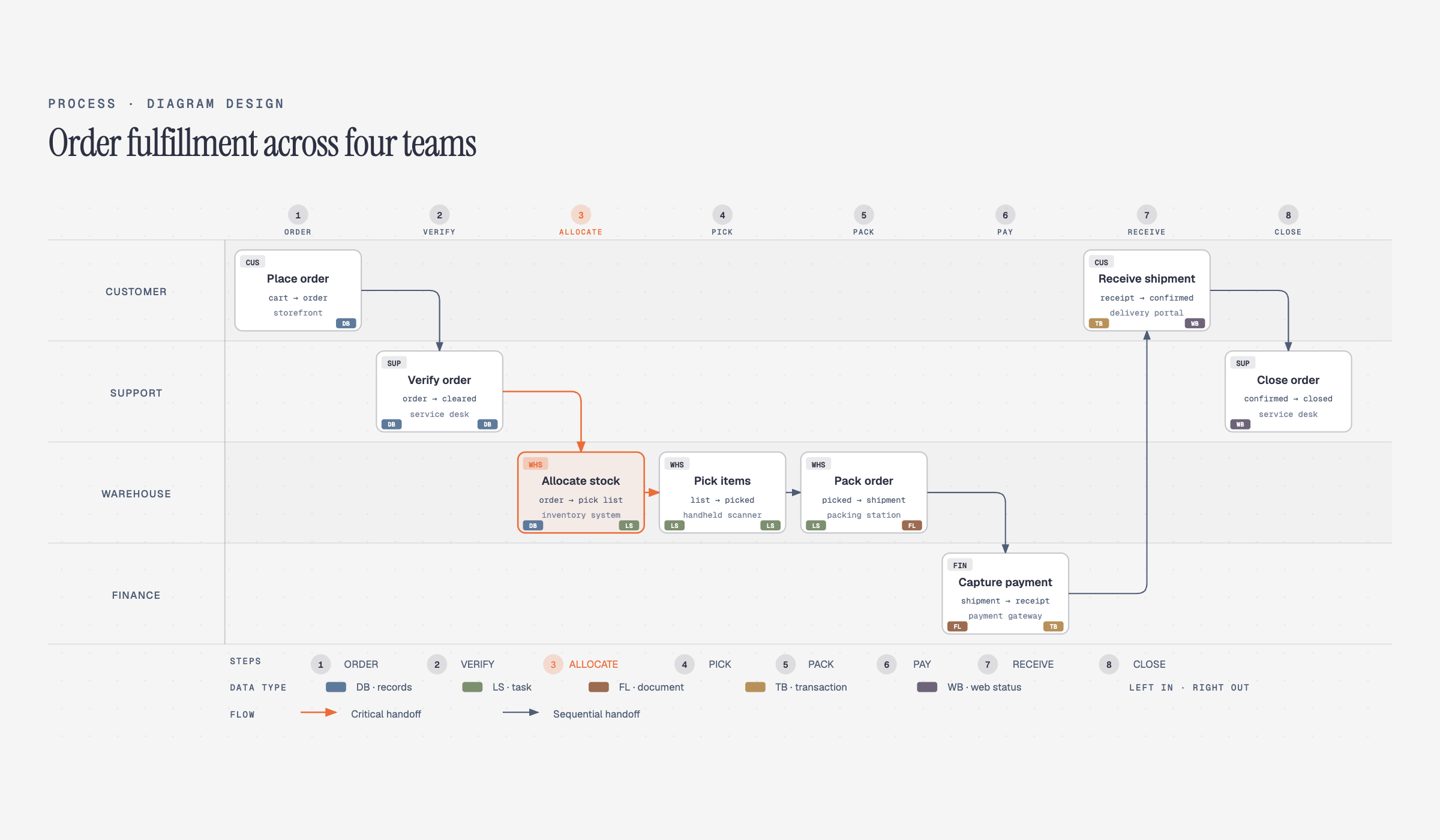
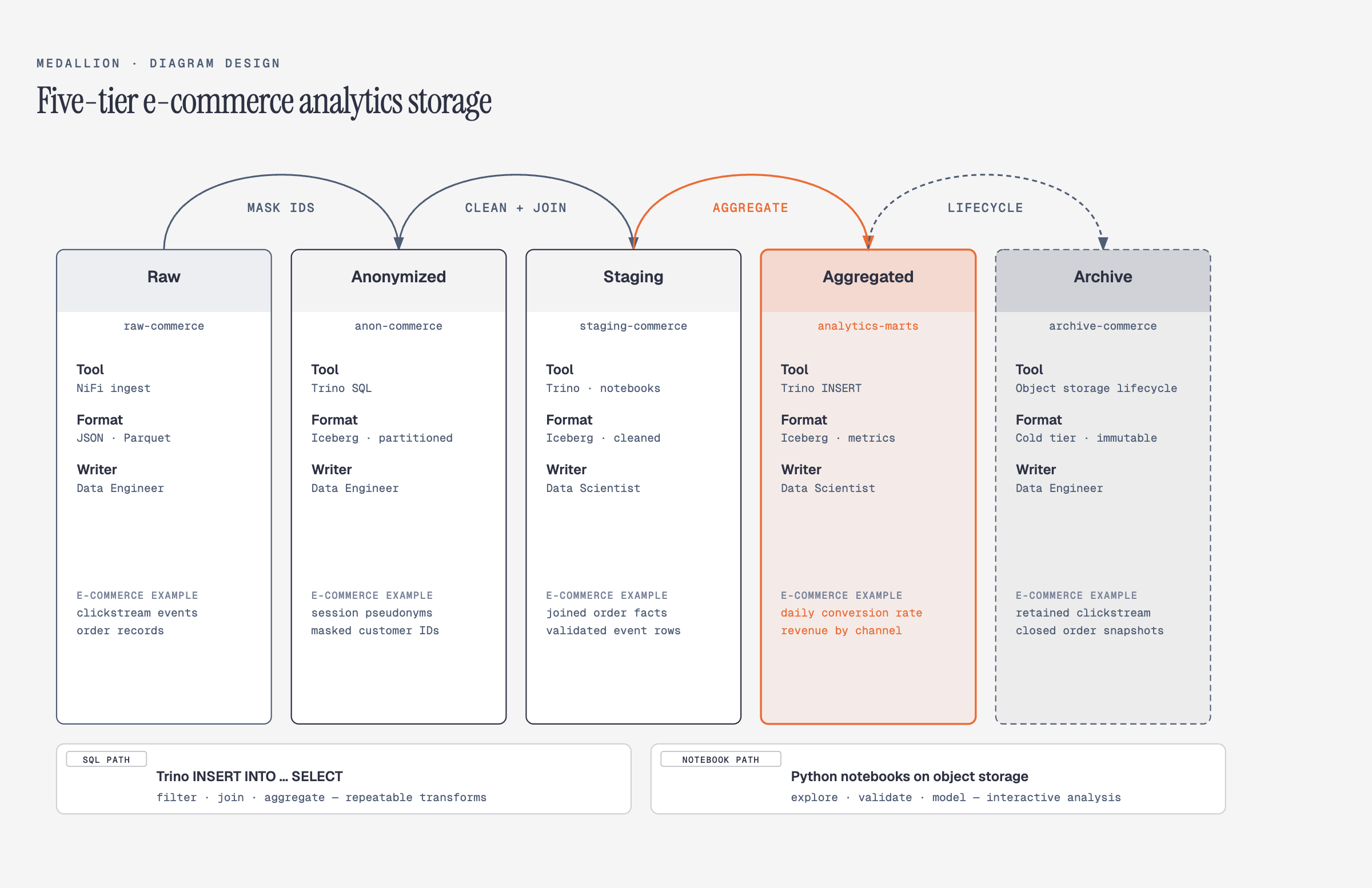
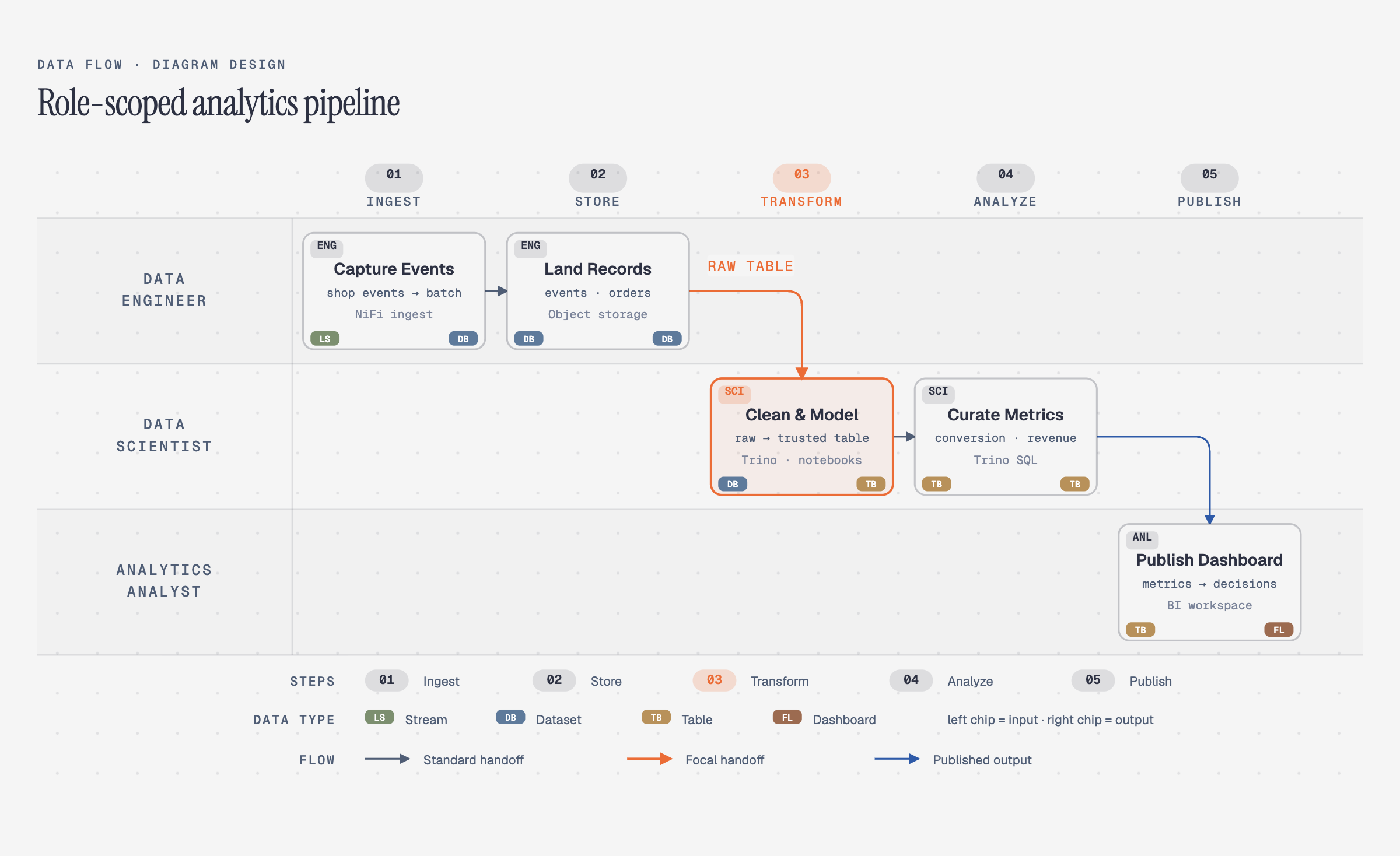
Architecture & Design System
The repository follows a documentation-first structure. The core skill definition resides in `skills/diagram-design/SKILL.md`, which acts as the index. Each of the 27 visual types has its own reference file, ensuring granular control over behavior and layout. Extractor scripts in `skills/diagram-design/scripts/` convert draw.io and Mermaid sources into a structured Intermediate Representation (IR), facilitating consistent rendering.
Validation is enforced through a series of automated gates running in GitHub Actions. These checks cover accessible SVG contracts, semantic-pattern routing, skin conformance (colors, fonts, accessibility), and the integrity of import paths for external formats. The system restricts the `SKILL.md` file size to 40,000 bytes to maintain performance.
Implementation & Validation
- Clone the repository from GitHub.
- Ensure Python 3.10+ is installed for running development scripts.
- Run `python3 scripts/test-lint-a11y.py` to verify accessible SVG contracts.
- Execute `python3 scripts/lint-skin.py --all --baseline` to check color, font, and asset conformance.
- Use `python3 scripts/verify-drawio-import.py` to test the draw.io import path.
Who should pay attention?
Good fit if
- Developers using Claude Code or Pi who need instant architecture sketches.
- Technical writers requiring consistent diagrams across documentation.
- Teams wanting to modernize legacy draw.io or Mermaid diagrams automatically.
Skip for now if
- Users needing interactive, JavaScript-heavy diagrams.
- Teams requiring complex 3D visualizations or CAD-like precision.
- Organizations without access to supported AI agents (Claude, Codex, Pi).
Risks and cautions
The project carries low adoption risk due to its open-source MIT license and self-contained nature. However, reliance on specific AI agents and the lack of versioned releases are minor considerations.
- Distributed under the permissive MIT License, allowing broad commercial and personal use.
- Outputs are static HTML/SVG, ensuring long-term compatibility without runtime dependencies.
- Security fixes are applied to the `main` branch; older commits are not maintained as separate channels.
- Security fixes are applied only to the latest commit on the `main` branch.
- No versioned releases are published, meaning stability relies on the `main` branch state.
- Vulnerabilities should be reported via GitHub private vulnerability reporting.
- The project includes automated checks for accessible SVG contracts and external asset validation.
Alternatives to compare
| Approach | When to use | Trade-off |
|---|---|---|
Mermaid.js | Users prefer a widely-adopted, JavaScript-based text-to-diagram solution that integrates directly into Markdown. | Open Source |
PlantUML | Teams need a mature tool with a vast array of diagram types and Java-based processing. | Open Source |
Draw.io (diagrams.net) | Manual editing and drag-and-drop diagramming are required. | Open Source / Free |
Excalidraw | Hand-drawn style diagrams and virtual whiteboarding are the priority. | Open Source |
What this trend reveals
Brand Consistency Automation
Automatically matching brand colors and typography by reading a website allows for rapid scaling of visual documentation without human intervention.
The README states the skill 'matches your brand in 60 seconds by reading your website'.
Legacy Modernization
The ability to redraw draw.io or Mermaid sources at a chosen format and detail level offers a path to upgrade old documentation assets.
Documentation in CONTRIBUTING.md confirms extractor scripts for draw.io and Mermaid sources.
RepoDaily verdict
Diagram Design offers a specialized, high-quality solution for generating editorial diagrams via AI agents, effectively bridging the gap between code-centric tools and professional design output. It is highly recommended for teams already invested in the Claude ecosystem who need static, accessible, and semantically rich visualizations.