
Primary question: Does the SVG-to-DrawingML pipeline produce decks editable enough for your PowerPoint post-generation workflow?
RepoDaily adoption score
RepoDaily rates this as 89/100 (strong) for adoption: evidence, installation path, production risk, differentiation, license clarity, and AI/agent fit are scored from the article sources and adoption notes.
5 source(s) across 2 source category/categories, plus a RepoDaily-specific evidence module when available.
6 workflow step(s), 4 next-action step(s), and 2 command/install signal(s) were detected.
Trending momentum is +1,141 stars, with maintenance/release/issue signals counted when present.
Risk is marked medium, with 5 security note(s) and 4 explicit skip condition(s).
3 opportunity lens item(s), 3 alternative(s), and 4 type-specific section(s) support differentiation.
License source or license wording is present.
5 AI/agent-related signal(s) were detected in the article text and metadata.
Project overview
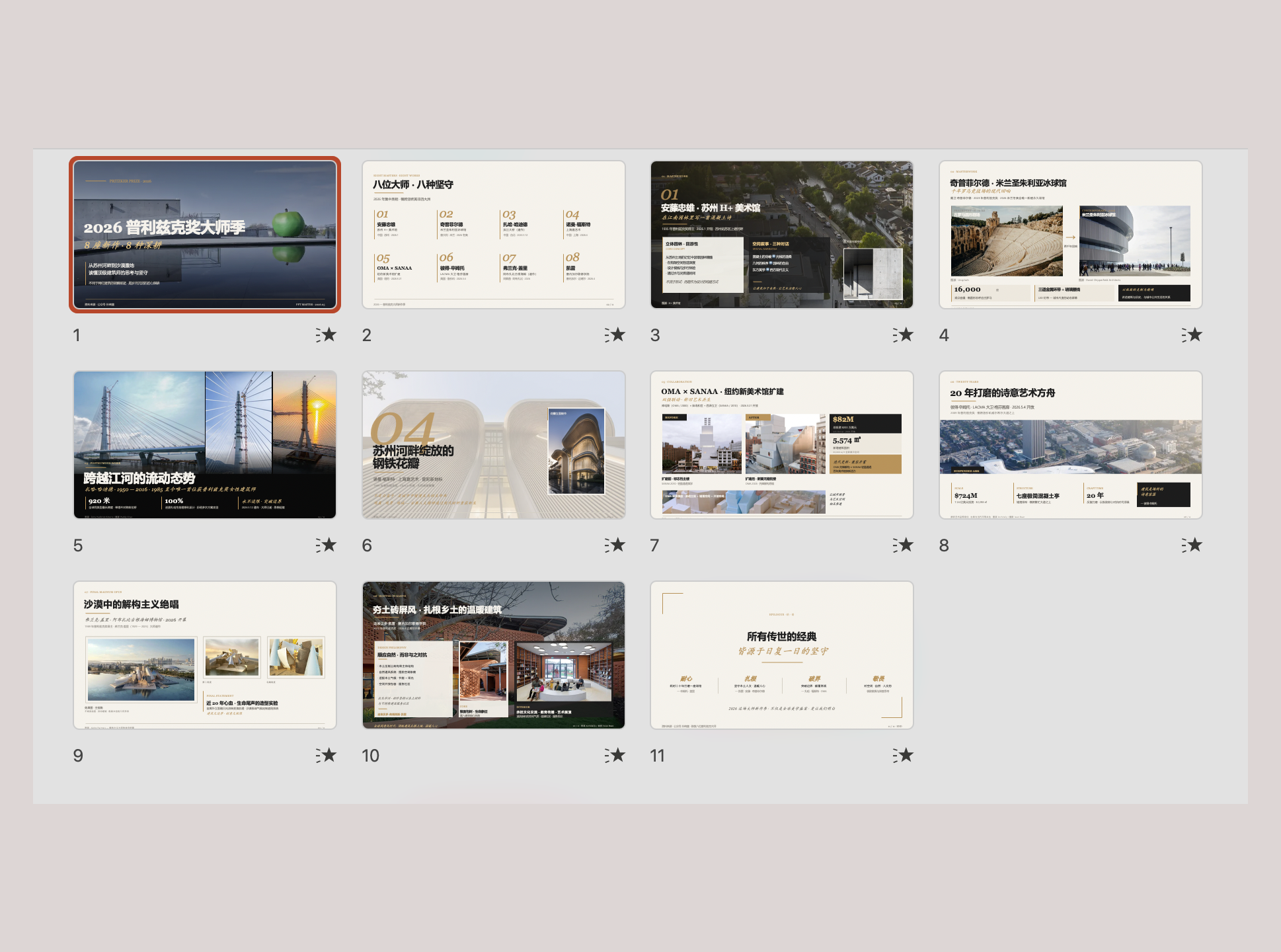
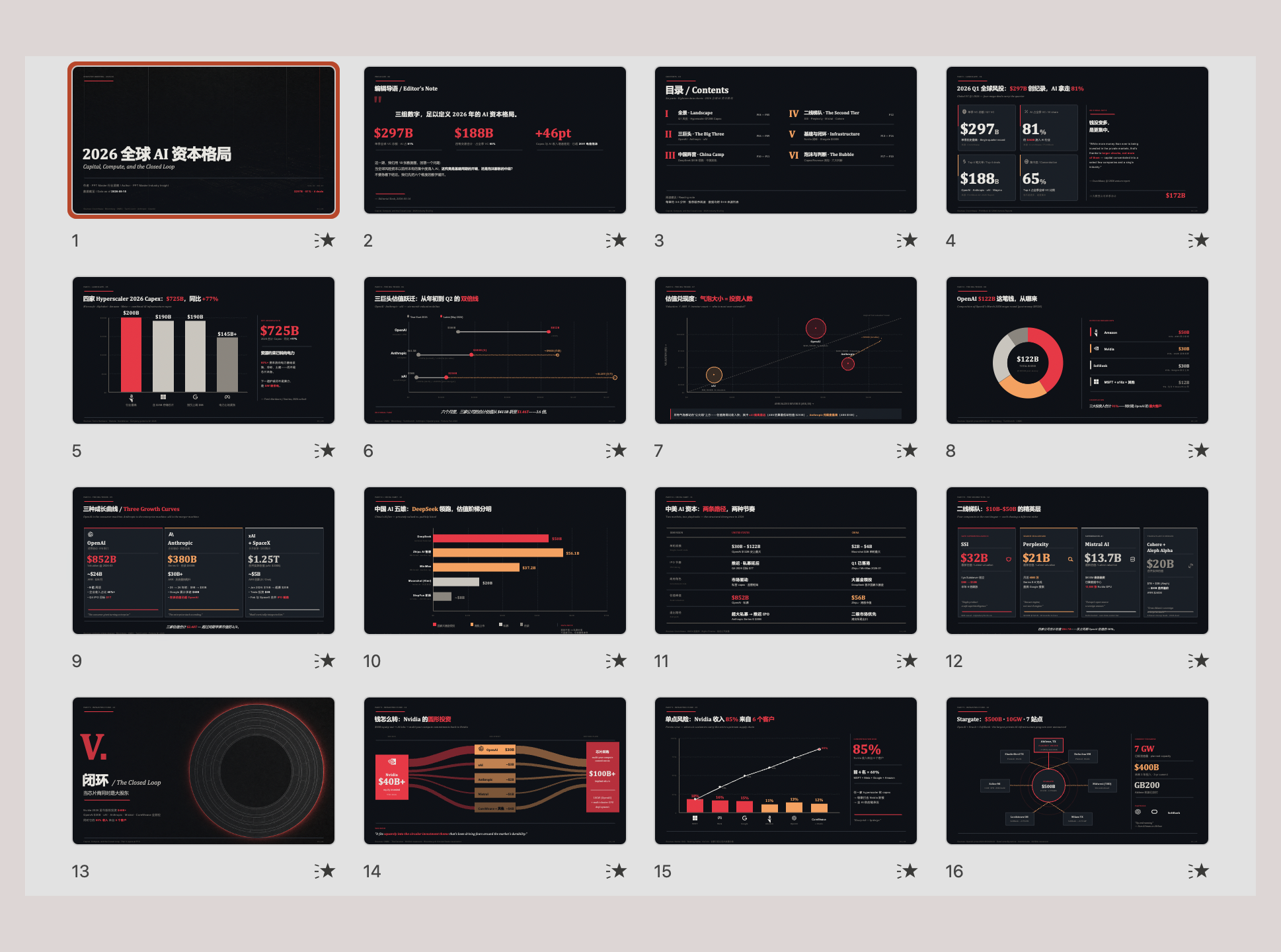
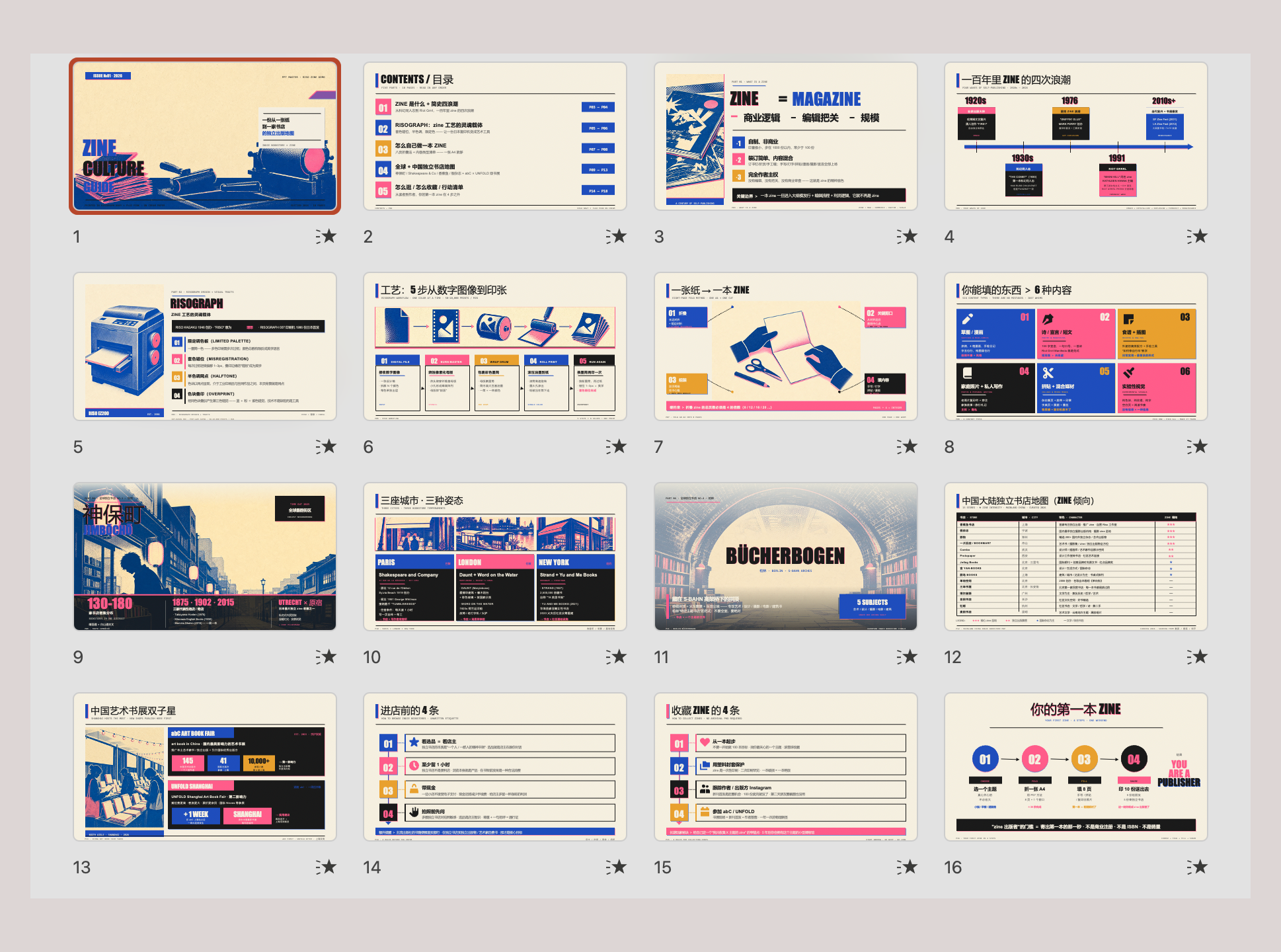
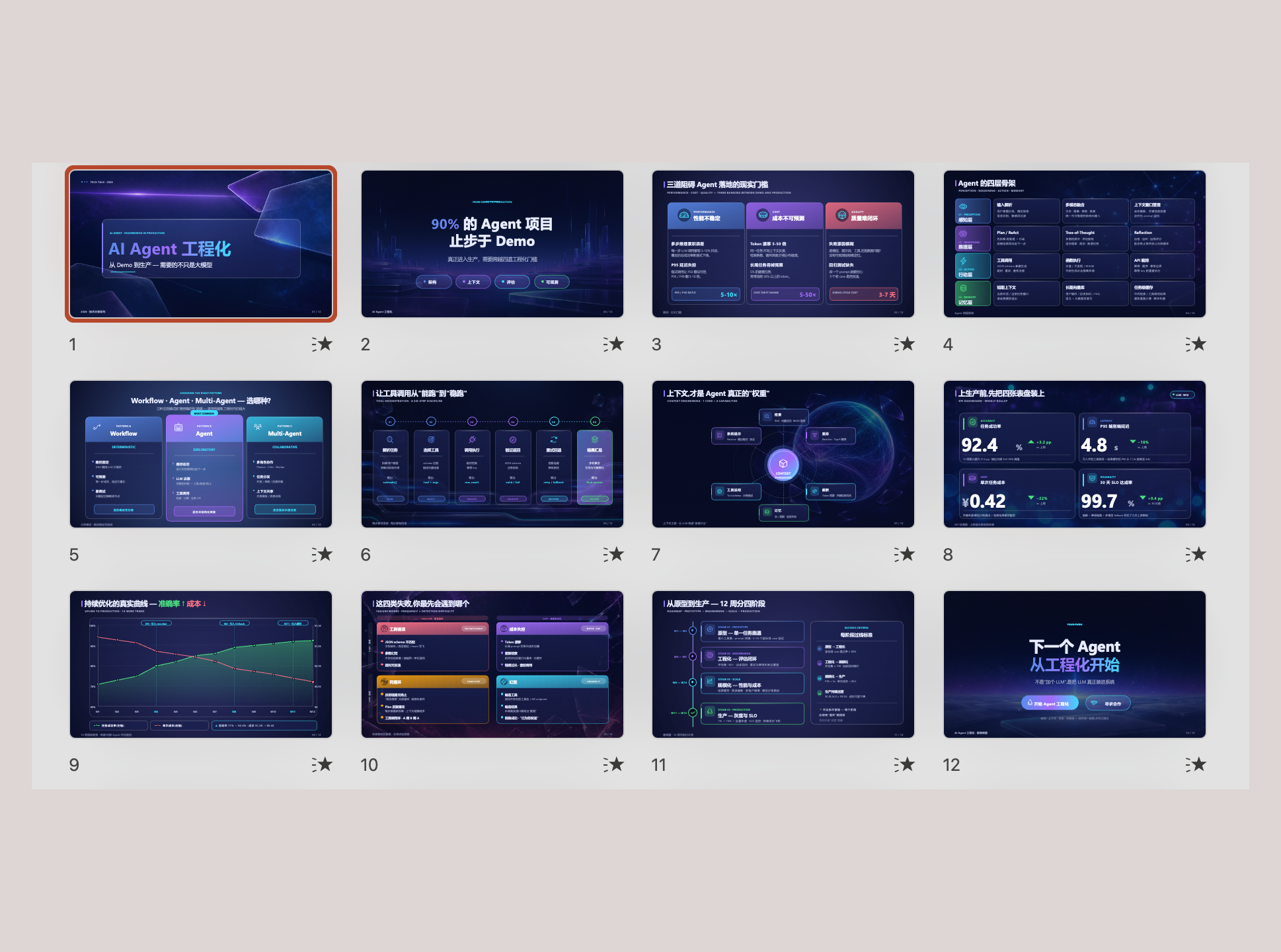
PPT Master is an open-source Python project that converts source documents—PDFs, DOCX files, web pages, or plain topic descriptions—into fully native, editable PowerPoint decks. Unlike tools that export slides as flattened images, PPT Master uses an SVG-to-DrawingML pipeline that produces real PowerPoint objects: native shapes, data-backed charts, tables, page transitions, per-element animations, and embedded audio narration generated from speaker notes.
The project runs as a skill for AI coding agents. Core logic lives in `skills/ppt-master/` with instruction files (`SKILL.md`, `references/*.md`, `workflows/*.md`) and Python post-processing scripts (`total_md_split.py`, `finalize_svg.py`, `svg_to_pptx.py`). When a user provides source material and a request, the agent reads the content, structures a narrative, generates SVG layouts per slide, and the scripts convert those SVGs into DrawingML XML inside a `.pptx` file.
A template system supports four workspace kinds—Brand, Style, Layout, and Deck—each stored as a portable workspace under `skills/ppt-master/templates/<kind>/<id>/` (library scope) or `projects/<name>/` (project scope). Users can also fill existing native PPTX files by cloning source slides and patching text, table, and chart data directly in OOXML, preserving the original design while replacing content.
MIT licensed and requiring Python 3.10+, PPT Master is solo-maintained. The maintainer explicitly notes limited review bandwidth in CONTRIBUTING.md and has a structured security policy in SECURITY.md covering the Python scripts and post-processing pipeline. Only the latest version receives security updates.
Why it is trending now
- 1,141 period stars and rank 4 on the 2026-08-14 trend date, driven by demand for document-to-deck automation that produces editable output rather than image-based slides
- The SVG-to-DrawingML pipeline is architecturally distinct from most AI slide tools—slides are real PowerPoint objects with editable geometry, not screenshots baked into slide backgrounds
- Template system with four kinds (Brand, Style, Layout, Deck) and two reuse routes (Fill Native PPTX vs. Create Template), covering both one-off deck fills and reusable design systems
- Audio narration generated from speaker notes, with voice cloning support and PPTX-level embedding, targets self-running presentation scenarios without external TTS tooling
- Sponsored by Kimi and positioned to leverage Kimi K3's 1-million-token context window for consuming long source documents such as multi-page PDFs and DOCX files
Problem it solves
- Most AI slide generators export flattened images or PDF-style pages, making post-generation edits painful—a typo fix or chart adjustment requires regenerating the entire deck
- Reusing a corporate brand identity across decks typically requires manual recreation rather than a validated, portable template workspace
- Data-backed charts in AI-generated decks are often static images rather than real PowerPoint chart objects that respond to data changes
- Self-running presentations with narration usually require separate TTS tools and manual audio embedding steps outside the deck generation process
How it works
- Provide source material — Give the agent a PDF, DOCX, web page, or topic description, optionally with a reference `.pptx` for template reuse or deck fill
- Agent reads and structures — The AI reads source content, identifies key points, and designs a slide-by-slide narrative with layout decisions rendered as SVG prototypes
- Post-processing pipeline runs — `total_md_split.py` splits agent output into per-slide markdown units, `finalize_svg.py` prepares SVG assets, and `svg_to_pptx.py` converts SVG into DrawingML XML inside the `.pptx` package
- Template application (optional) — If a Brand, Style, Layout, or Deck template workspace exists, its `templates/design_spec.md` and SVG prototypes guide layout and visual decisions
- Narration and animations (optional) — Speaker notes convert to per-slide audio via configured TTS providers, and transitions or per-element animations are applied as native PowerPoint effects
- Output — A fully editable `.pptx` with native shapes, charts, tables, transitions, animations, and embedded narration
Product demo and interface preview
Architecture: SVG → DrawingML Pipeline
PPT Master's defining architectural choice is the SVG-to-DrawingML pipeline. Instead of rendering slides as images, the system generates SVG prototypes for each slide during the AI authoring phase. The Python post-processing scripts then convert those SVGs into DrawingML—the XML format PowerPoint uses internally for shapes, text, and effects.
Three core scripts handle the conversion: `total_md_split.py` splits agent output into per-slide markdown units, `finalize_svg.py` prepares and validates SVG assets, and `svg_to_pptx.py` converts SVG into DrawingML XML inside a `.pptx` package. This means the final deck contains real PowerPoint objects—a rectangle is a rectangle, a chart is a chart object, and text remains editable.
The trade-off is that SVG-to-DrawingML conversion must handle every PowerPoint feature mapped in `docs/powerpoint-svg-mapping.md`. Any gap in that mapping becomes a missing feature in the output. The project also maintains `docs/technical-design.md` covering the architecture rationale and why SVG was chosen as the intermediate format.
Try-It Path
- Start from free design (no template required) or provide a `.pptx` reference for the Fill Native PPTX route
- For template creation, use `/create-template` with a reference deck to build a Brand, Style, Layout, or Deck workspace
- Templates live at `skills/ppt-master/templates/<kind>/<id>/` (library scope) or `projects/<name>/` (project scope)
- Each Layout or Deck template can generate `exports/<id>_template_preview.pptx` for PowerPoint-level visual review
- Narration: configure a TTS provider, write speaker notes, and the system embeds per-slide audio in the final PPTX
Maintenance Risk Profile
- Solo maintainer with explicitly stated limited review bandwidth per CONTRIBUTING.md
- Only the latest version receives security updates per SECURITY.md; older versions are unsupported
- Prompt and instruction file changes (SKILL.md, references/*.md, workflows/*.md) require a prior agreed issue before any PR
- Pure AI-generated PRs submitted without human review are closed unmerged
- The project deliberately stays close to its current shape—large refactors and new abstractions need prior discussion
Command and File Surface
- `skills/ppt-master/SKILL.md` — main agent instruction file steering deck-wide behavior
- `skills/ppt-master/references/*.md` — reference documentation consumed by the agent at runtime
- `skills/ppt-master/workflows/*.md` — workflow definitions including `template-fill-pptx.md`
- `total_md_split.py`, `finalize_svg.py`, `svg_to_pptx.py` — the three-script post-processing pipeline
- `templates/design_spec.md` — design specification living inside each created template workspace
- `exports/<id>_template_preview.pptx` — optional PowerPoint preview file for Layout or Deck templates
Who should pay attention?
Good fit if
- Teams that need editable PowerPoint output from long source documents such as PDFs, DOCX files, or research reports
- Presenters who want data-backed charts and tables that remain real, editable PowerPoint objects after generation
- Designers building reusable brand, style, layout, or deck template systems for recurring presentation types
- Users producing self-running decks with embedded narration for training, compliance, or kiosk scenarios
Skip for now if
- Projects requiring a team-maintained codebase with security patch turnaround beyond the latest release
- Users who need Google Slides, Keynote, or HTML-based output rather than native PPTX
- Teams that cannot run a Python 3.10+ environment or work through an AI coding agent interface
- Anyone who needs guaranteed support for older versions after upgrading
Risks and cautions
Solo-maintained project with a clear, documented security policy but limited review bandwidth and security updates restricted to the latest version only.
- Only the latest version receives security updates; older versions are explicitly unsupported per SECURITY.md
- Solo maintainer with stated limited review bandwidth in CONTRIBUTING.md
- Prompt and instruction file changes require a prior agreed issue, which slows external contributions to core agent behavior
- Post-processing scripts (svg_to_pptx.py, finalize_svg.py, total_md_split.py) handle OOXML generation—any parsing bugs could affect output integrity without immediate upstream support
- Vulnerabilities must be reported privately to [email protected], not through public GitHub Issues
- Acknowledgment within 72 hours and resolution timeline within 7 days per the published security policy
- Scope explicitly covers `skills/ppt-master/scripts/` Python files and the post-processing pipeline (`total_md_split.py`, `finalize_svg.py`, `svg_to_pptx.py`)
- Third-party AI editors and APIs, generated PPTX output files, and user-provided source documents are out of scope
- Responsible disclosure followed—fixes published as GitHub Security Advisories crediting the reporter unless anonymity is requested
Alternatives to compare
| Approach | When to use | Trade-off |
|---|---|---|
python-pptx | When you need a programmatic Python library to create or modify PPTX files directly, without AI-driven narrative generation | Free, MIT licensed |
Marp | When you want Markdown-to-slide conversion for developer-focused talks with HTML/PDF output | Free, MIT licensed |
Slidev | When you want Vue-powered, code-friendly developer presentations authored entirely in Markdown | Free, MIT licensed |
What this trend reveals
Enterprise template marketplace
The four-kind template system (Brand, Style, Layout, Deck) with portable workspaces stored under `skills/ppt-master/templates/<kind>/<id>/` could support a shared library of validated corporate design systems distributed across teams.
Check whether `projects/<name>/` workspaces can be registered globally and distributed without manual path configuration per installation.
Chart and table fidelity benchmarking
Since charts and tables are generated as native PowerPoint objects via DrawingML, systematic testing of chart type coverage (bar, line, pie, scatter, area) against the PowerPoint-SVG mapping would quantify output reliability.
Generate 20 decks with varied chart types and verify each opens without repair prompts in Microsoft PowerPoint.
Voice cloning pipeline for training decks
Audio narration with voice cloning and native PPTX embedding targets self-running training and compliance deck scenarios where consistency of narrator voice matters.
Test the narration pipeline with a 30-slide deck and measure whether per-slide audio aligns with content timing and note length.
RepoDaily verdict
PPT Master stands out for its SVG-to-DrawingML pipeline that produces genuinely native, editable PowerPoint output rather than image screenshots. The four-kind template system, data-backed charts, and embedded audio narration add real depth for enterprise use. The main caveat is solo maintenance with security support limited to the latest version—evaluate accordingly for production dependencies.